Pattern Version Control for Crochet Designers
A single missed decrease, outdated photo, or unshared tester correction can turn a beautiful amigurumi design into a customer-support problem. Pattern version control gives crochet designers a clear way to manage changes from first draft to final PDF, so the instructions customers buy match the design you intended to sell.
For a casual personal project, saving files as “final,” “final final,” and “really final” may be annoying but harmless. For a digital pattern business, it creates risk. You may update the body instructions but forget the assembly notes, send testers different drafts, or translate a version that has already changed. A simple version-control process protects your time, your reputation, and the value of every pattern in your catalog.
What Pattern Version Control Means
Pattern version control is the practice of labeling, tracking, and approving each meaningful change to a crochet pattern. It answers three practical questions: What changed? Which file is current? Who is working from it?
This is not about making crochet feel corporate. It is about giving your creative work a reliable production process. Your pattern is a digital product with instructions, photos or diagrams, construction details, formatting, translations, and customer-facing sales information. Each piece needs to stay aligned.
A version number turns a vague file history into a useful record. For example, version 0.1 can be your first working draft. Version 0.8 may be ready for testing. Version 1.0 is the approved customer release. If you later fix a typo without changing the project itself, release version 1.0.1. If you revise the head shaping or add a new sizing option, move to version 1.1.
The specific numbering system matters less than using one consistently. The goal is to know, at a glance, whether a file is an early design draft, a tester-ready draft, or a finished product customers can rely on.
Why Crochet Patterns Need a Change History
Amigurumi patterns are especially sensitive to small edits. A change to one round can affect stitch counts, placement markers, stuffing timing, limb attachment, and the final proportions of a character. If your instructions say “36 sc” but your visual reference shows 42, an experienced customer may spot the issue. A newer maker may get stuck and assume the pattern is wrong.
A change history helps you make edits with intent. Rather than replacing old wording and hoping you remember why, record the reason: “Round 18 stitch count corrected after tester feedback,” or “Moved ear placement from Round 24 to Round 26 for better symmetry.” That note is useful when you review future feedback, create an update notice, or revisit the design months later.
It also prevents a common business mistake: treating every document as the source of truth. A pattern may exist in your working editor, exported PDF, tester email, listing description, and translated files. If those copies are managed separately, they drift apart. Your source pattern should lead. Everything else should be generated or updated from that approved version.
Start With a Clear Draft-to-Release Workflow
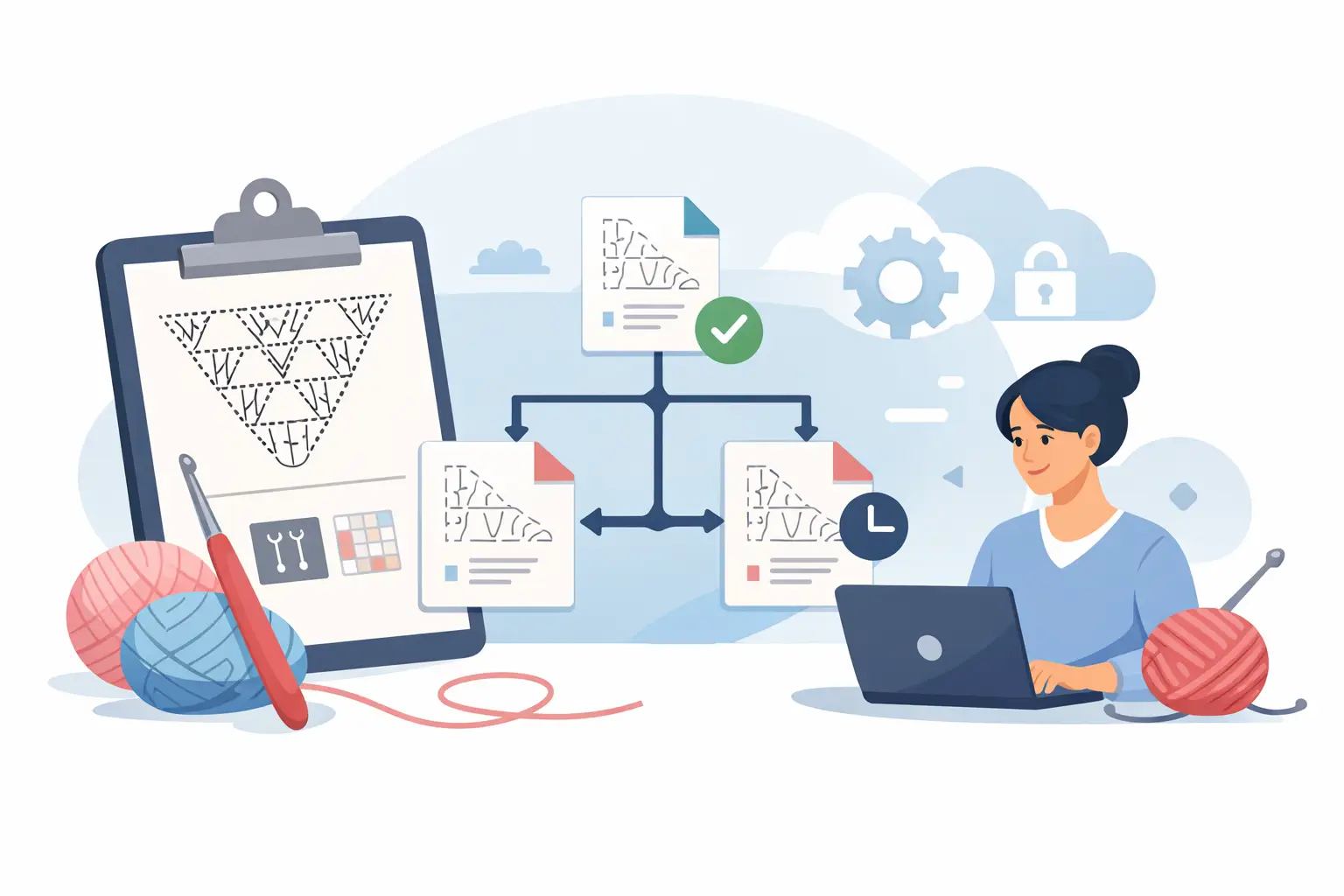
The easiest system follows the way you already design: write, inspect, test, revise, export, and sell. Give each phase a version status before moving forward.
During the writing stage, work freely. Capture construction decisions, stitch counts, color changes, and assembly notes while the physical sample is in front of you. This is your development version. It does not need perfect formatting, but it does need enough structure that you can find and review each component later.
Before testing, create a tester version. Freeze the pattern for a moment and label it clearly, such as v0.9 Tester Draft. Testers need one identifiable file, not a moving target. If you make changes during the test period, issue a new draft number and explain what changed. That simple step stops one tester from reporting a problem that another tester is already working around in a newer file.
After you review feedback, create the release candidate. Check every correction against the full pattern, not only the section where the feedback appeared. A revised leg count can change the assembly instructions. A clearer abbreviation may need to be updated in the glossary and translated copy. Then approve version 1.0 only when the entire pattern has been checked as one customer experience.
Use Version Names That Make Decisions Easy
Your version names should be readable under pressure. You should not have to open five files to know which one belongs in a tester call or which PDF belongs in a customer update.
A practical name can include the design name, version, status, and date. For example: “Moonlit Fox v0.9 Tester Draft 2026-08-16.” Once the pattern is released, “Moonlit Fox v1.0 Customer PDF” makes the purpose immediately clear.
Avoid vague labels such as “new,” “updated,” or “use this one.” They lose meaning almost immediately. Dates alone are also limited because they show when a file was saved, not whether it was approved for testing or publication.
Keep the customer-facing version clean. Most buyers do not need your internal revision notes, but a small version number in the PDF footer can be helpful. If a buyer contacts you with a question, you can quickly confirm which release they have. It also signals that your pattern is maintained like a professional product.
Turn Tester Feedback Into Controlled Revisions
Testers improve more than grammar. They reveal how real makers interpret your order of operations, how easy it is to find a stitch count, whether a color change is clear, and where a photo or visual check would prevent confusion.
The key is to collect feedback against the same version. Ask testers to include the pattern version with their notes and identify the page, component, round, and issue. “The arm was confusing” is hard to act on. “In Arm Round 12, the repeat produces 24 stitches, not 22” is a trackable correction.
Review feedback in batches when possible. Constantly editing the main file while feedback arrives can create a confusing chain of partial changes. Instead, log the issue, decide whether to change it, make the revision in your working version, and verify related instructions. Then issue the next approved tester draft if more testing is needed.
Not every comment requires a revision. One tester may prefer a different join method, while your existing method is accurate and clearly explained. Version control supports deliberate choices. It does not require you to redesign a pattern around every preference.
Keep Visuals, Instructions, and Translations Together
A polished pattern has more than correct text. Its visuals need to reflect the current construction. If you change the shape of a muzzle or move the attachment point for a tail, inspect the diagram, 3D model, photos, and assembly guidance before publishing.
This is where a visual production workspace can reduce errors. Amigurumake lets designers write pattern components and inspect each piece in 3D, and place the pieces on each other, making it easier to catch a mismatch between a written instruction and the intended form before export. The visual check is especially useful after a revision, where a corrected stitch count alone may not tell the whole story: a piece can still come out wider, shorter, or flatter than the round you edited was supposed to make it.
Translations deserve the same discipline. Do not treat a translated pattern as a one-time duplicate. It is a versioned product tied to a source release. When the English source changes, record whether each language needs an update. Small typo fixes may not justify immediate re-export in every language. Structural changes, revised terminology, or altered measurements usually do.
Keep a short change note for translators. State what changed, where it changed, and whether the update affects stitch counts, abbreviations, image captions, or assembly language. Clear source notes reduce guesswork and help preserve the quality of your pattern across markets.
Release Updates Without Creating Customer Confusion
Once a PDF is for sale, version control becomes customer care. A small correction can be handled quietly in the next download. A meaningful construction change deserves a clearer approach, especially if early buyers may be partway through the project.
For a minor update, revise the PDF, increment the version, and replace the sales file. For a larger update, add a concise revision note explaining what customers should check. Keep the tone practical: identify the affected section, explain the correction, and state whether the change affects a finished project or only future rounds.
Do not erase your release history. Keep an archived copy of every published version in a separate folder or controlled workspace. If a customer has an older file, you can see exactly what they received and respond accurately. This also protects you if you need to revisit a past translation, product listing, or tester report.
Make the Process Small Enough to Use
You do not need software-engineering rituals to manage a crochet pattern catalog. If you publish only a few designs a year, a consistent version name, a change log, and an archive may be enough. If you manage frequent releases, multiple testers, translations, and a growing product line, you need more connected control over your source files and exports.
The right level depends on your workflow, but the standard should stay high: no file goes to testers, translators, or customers unless you can identify its status and source. That one habit eliminates a surprising amount of rework.
Every pattern you publish is an asset you can improve, translate, relaunch, and sell again. Give it a version history that lets your business grow without losing track of the details that made the design worth buying in the first place.