Crochet Chart Generator: From Written Rounds to Symbols
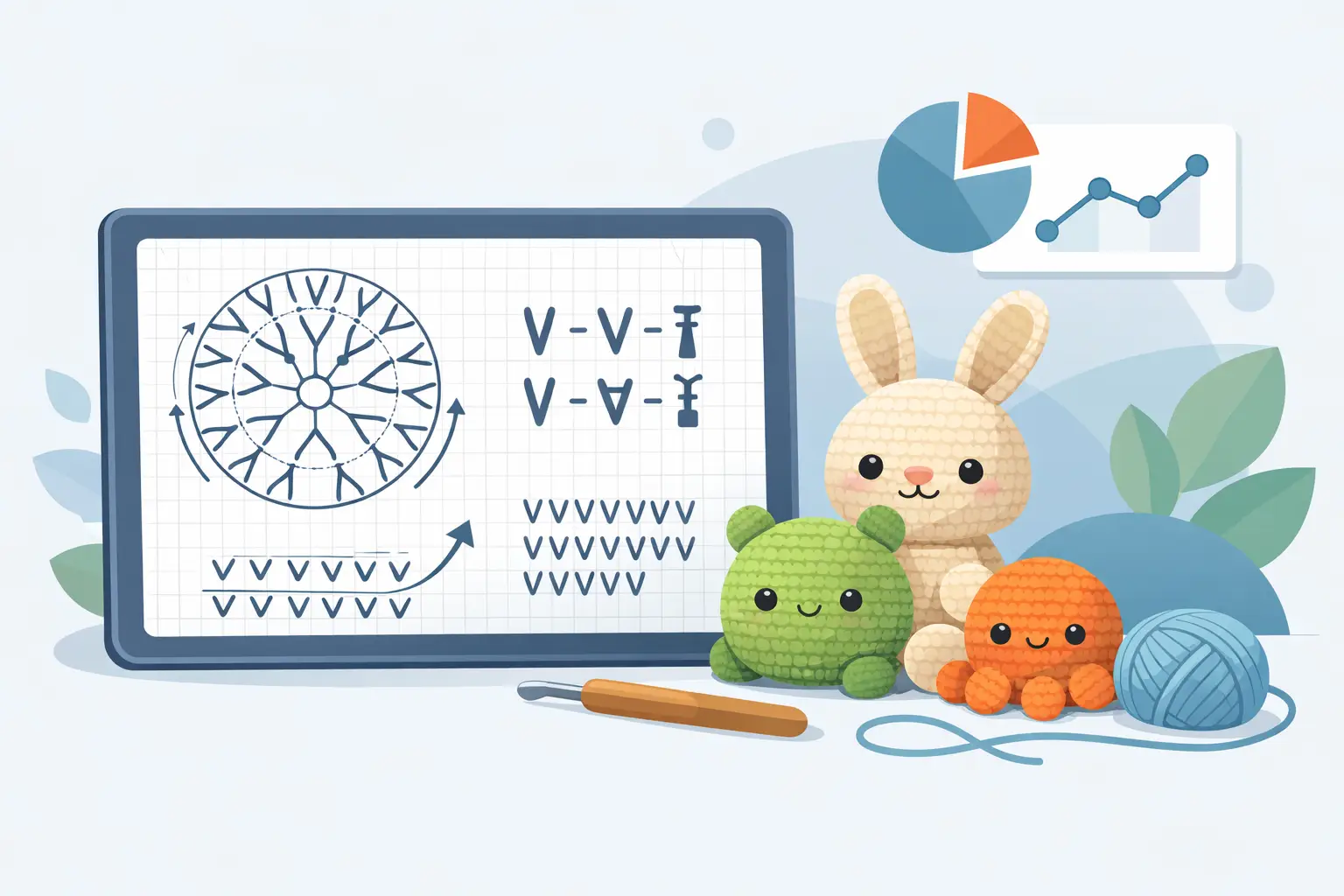
A crochet chart generator takes the rounds you have already written, "Rnd 4: (2 sc, inc) x6 (24)", and draws the symbol diagram a maker would otherwise have to build in her head: every stitch on its ring, increases and decreases marked with the standard joined symbols, round numbers along the start line. For amigurumi designers who sell patterns, the interesting question is not whether charts are nice to have. It is whether you can afford to make them by hand.
One thing to clear up first, because it trips up almost everyone starting out: a crochet chart and a diagram are the same thing. Some designers write "chart", others write "diagram", and a few say "symbol chart" or "crochet diagram". They all mean the same picture of your rounds drawn in stitch symbols, so a chart generator and a diagram generator are the same tool under two names.
This article covers what a chart adds to a sellable pattern, why hand-drawn diagrams quietly rot, what a generator has to get right to be worth using, and where generated charts still have limits worth knowing about.
Why Charts Earn Their Place in a Paid Pattern
A written round is precise but sequential: the maker discovers what round 6 looks like only by working through it. A chart shows the whole round at once, and the whole piece at a glance. Visual crocheters read charts the way musicians read a score, and for them a pattern without one is a pattern that takes more effort than the competing listing that has one.
Charts also cross language borders. A German or Japanese buyer who struggles with your English instructions can still follow a symbol diagram, because the symbols are close to universal. If you sell internationally, or plan to translate your patterns, the chart is the one page that needs no translation at all.
And charts catch errors that prose hides. A missing increase is easy to miss in a line of abbreviations and hard to miss on a diagram, where one wedge of the circle visibly comes up short. That cuts both ways, though, which is where the trouble with hand-drawn charts begins.
The Problem: Hand-Drawn Charts Fall Out of Date
Drawing a chart by hand, in a vector tool or a specialized editor, takes hours for a full amigurumi piece. That cost is paid once, but the maintenance cost is paid forever: every time a tester finds a miscount and you revise round 12, the chart has to be redrawn to match, and it is exactly the step that gets skipped on a busy week.
The result is the most damaging kind of pattern error: instructions and diagram that disagree. A buyer who notices the disagreement does not know which one to trust, and a buyer who does not notice follows the wrong one. If you keep versions of your patterns, the chart is the asset most likely to lag a version behind the text.
What a Crochet Chart Generator Has to Get Right
Not every tool that draws circles draws charts a crocheter can read. Printed-chart conventions are specific, and experienced chart readers notice immediately when they are broken. The details that matter:
Standard symbols. Single crochet as its cross, chains as ovals, slip stitches as dots, taller stitches as their barred T forms. An increase is not two separate stitches: it is two symbols joined at the base, forming the familiar V, and a decrease is the mirrored form joined at the top. Ad-hoc glyphs make a chart look generated in the worst sense.
Orientation. In a chart worked in the round, symbols rotate with the work: each stitch stands with its base toward the center, the way printed Japanese amigurumi charts have drawn them for decades. Symbols that all stand upright read as a decoration, not a chart.
Round numbers and reading direction. The maker needs to find round 7 instantly, and the chart should make the counterclockwise reading order obvious from the start position.
Color. If the pattern changes colors, the chart should show it, because color changes are half the reason makers glance at a chart mid-round.
And whether it reads the pattern you actually wrote. This is the wall most people meet first. Free single-purpose generators exist and some draw the conventions above well, but several ask you to write for the tool rather than the other way round: a fixed abbreviation list, exact spacing and capitalisation, a required way to open a round. Paste in the most ordinary amigurumi opening there is, Rnd 1: MR, 6sc (6), and a tool that expects sc x6 stops and tells you the pattern was not found. So you go back and rewrite your pattern to suit the tool, for every round, and you do it again after every revision.
A generator worth the name reads what designers already write, in the notation they already use, including the shorthand that varies from designer to designer. The rest of the differences show up after the chart is drawn: whether it stays connected to the pattern it came from.
Generated From the Rounds, So It Cannot Disagree With Them
This is the property that changes the economics. In Amigurumake's studio, the Chart view is built directly from the written rounds, the same text that drives the 3D preview. There is no separate chart file to maintain. Revise round 12, and the chart is already correct, because it is derived from the revision. The hours-per-chart cost and the falls-behind-the-text problem disappear together.
Because the chart knows which written stitch each symbol came from, it is also inspectable: click any symbol and see its round, its position in the round, its stitch type, and its color. When something looks off on the diagram, you can trace it to the exact instruction that produced it instead of counting wedges with a pencil.
The chart and the 3D view answer different questions, which is why they sit on adjacent tabs. The chart shows a maker how to work the rounds. The 3D view shows you whether those rounds build the shape you meant, piece by piece and then with the pieces placed on each other, before a tester ever casts on. One is for your buyer, the other is for you.
The Self-Check: a Chart That Audits Your Counts
A generated chart can do something a drawn one never will: check itself against your written stitch counts. Amigurumake's chart runs that comparison for every round. It counts the stitches actually drawn, reads the totals you declared in the pattern, works out how many increases and decreases each round should contain based on the totals of its neighbors, and compares. Everything agrees, and you get a green verdict. Something disagrees, and the exact round is flagged with what was drawn versus what was declared.
In practice this is a proofread of the pattern itself. A declared total that does not match the stitches the instructions produce is precisely the kind of error that testers are usually the first to find, except here it surfaces while you are still writing, before anyone else has seen the draft.
Honest Limits
Chart generation is for stitch diagrams of pieces worked in rounds, which covers most of amigurumi. It is not the tool for colorwork grids, filet charts, or corner-to-corner graphs: those are different chart types with their own dedicated generators. And if you want a chart styled for a printed book cover, a generated diagram is the accurate starting point, not necessarily the final artwork.
A chart also complements written instructions rather than replacing them. Plenty of crocheters never learned symbols, and a chart-only pattern excludes them. The strong pattern PDF carries both, clearly labeled, agreeing with each other, which is exactly the agreement a generator makes automatic.
Where to Start
If your rounds are already written, you are one step from a chart. Learn the handful of symbols your designs actually use, starting with how increases and decreases are drawn, so you can sanity-check what any tool gives you. Then generate a chart for a pattern you have already published and read it the way a buyer would. If the diagram surprises you anywhere, the surprise was already sitting in your instructions. Better that you meet it first.